
Sync with Rekordbox
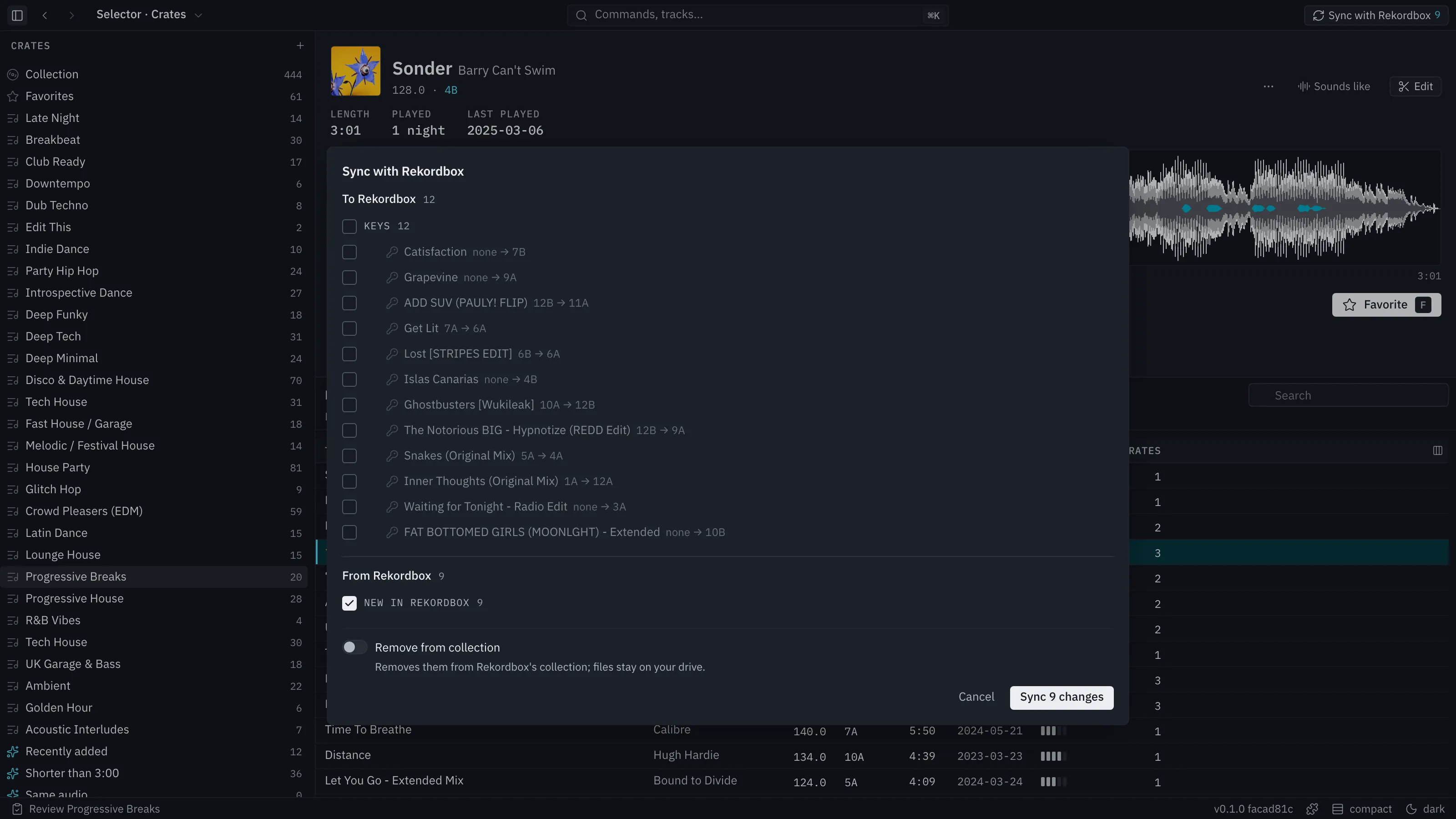
Sync with Rekordbox is a button in the title bar. Nothing syncs on its own: saving, deciding, importing and finishing a review never open Sync or write to Rekordbox. You press the button.
What happens
Section titled “What happens”- Press Sync with Rekordbox. A count on the button shows how many changes are waiting on the Rekordbox side.
- Selector Studio shows a preview of everything it would change in both directions:
- To Rekordbox: crates and playlists you added or changed, tracks, titles, cues and details, and new tracks such as an edit you saved.
- From Rekordbox: playlists added or changed there, tracks added or removed, titles, and new tracks in its collection, listed by name.
- Tick or untick lines. Nothing is applied until you confirm. Cancelling changes nothing on either side.
Conflicts
Section titled “Conflicts”When both sides changed the same thing, the line says so. Selector Studio’s version is picked unless you pick Rekordbox’s.
Lines you did not ask for
Section titled “Lines you did not ask for”Some lines are Selector Studio’s own idea: a beat grid or key for a track Rekordbox already has, following your source order. They start unticked the first time, then stay as you left them.
Cut tracks
Section titled “Cut tracks”When you sync a crate, the preview has a Remove from collection switch. It is off by default. The note beside it says: “Removes them from Rekordbox’s collection; files stay on your drive.” The switch is not shown for other syncs.
Before it writes
Section titled “Before it writes”Rekordbox must be closed. If it is open, Selector Studio says “Close Rekordbox, then try again”. Both sides are backed up before anything is written. If Rekordbox changed after the preview, Selector Studio refuses and asks you to preview again.
What Sync brought into Selector Studio is one step to undo (⌘Z).
What only Rekordbox knows
Section titled “What only Rekordbox knows”Play history is the one thing Selector Studio keeps reading by itself, so smart-crate rules such as Never played work without a Sync.
Saving sets and edits
Section titled “Saving sets and edits”A set’s Save and an edit’s Save use the same preview, as a single line. There is no save without asking.