
Reviews
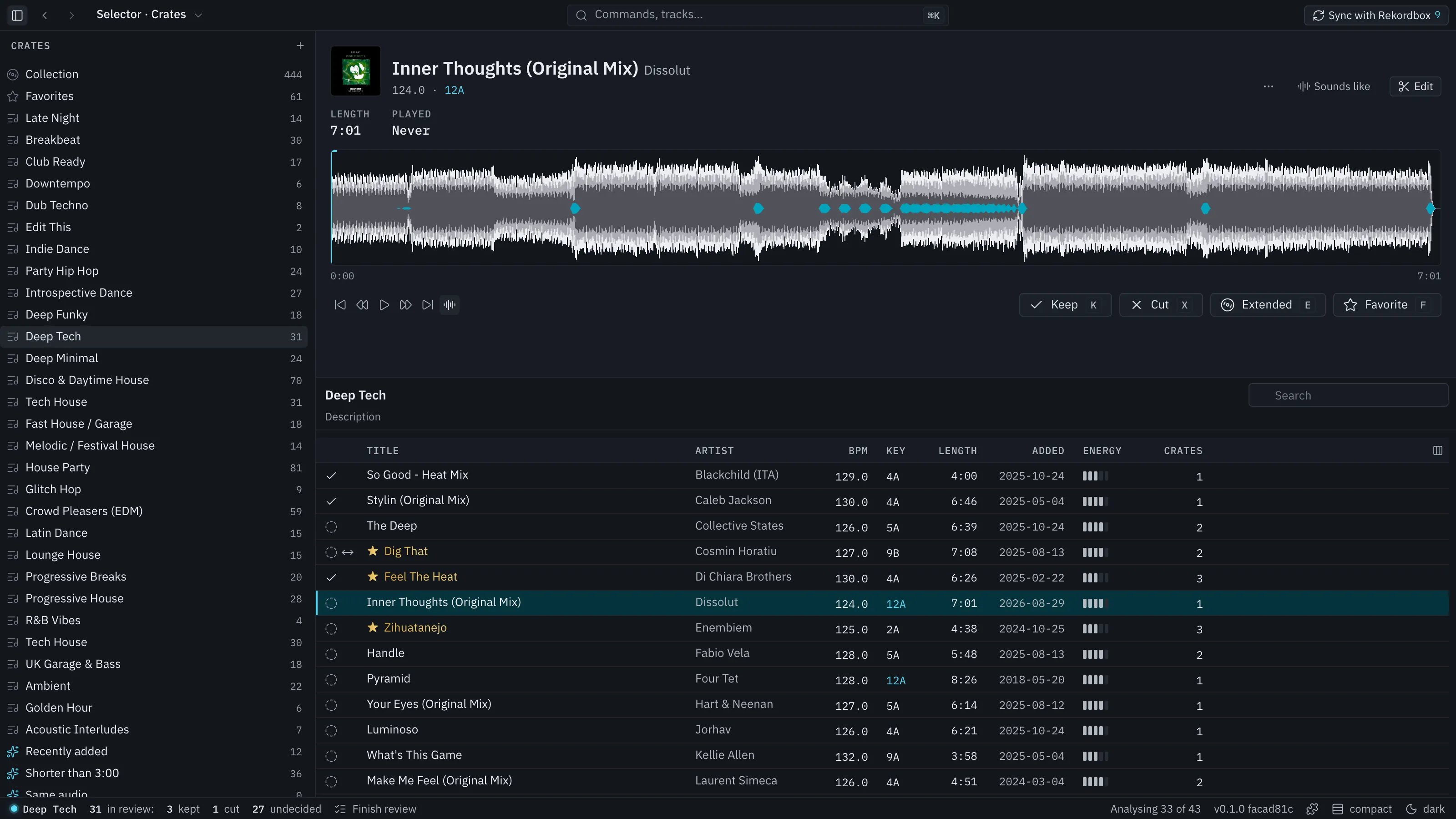
A review is a session where you listen to tracks and decide on each one. Keep, Cut and Extended exist only while a review is open.
Start one
Section titled “Start one”- In the status bar at the bottom of Crates, press Start review. It reviews the open crate, or the whole library when none is open.
- Or right-click a crate in the tree and choose Review this crate (Review this folder on a folder), or use ⌘K.
Only one review is open at a time. While it is open the status bar shows its name and the counts of kept, cut and undecided tracks, and each row shows its decision before the title.
Decide
Section titled “Decide”Select a track, listen on the deck, and press:
| Key | Decision |
|---|---|
| K | Keep |
| X | Cut |
| E | Extended: you want a longer version of this track |
Each decision is on the undo history. Change your mind by deciding again or with ⌘Z.
What cut does
Section titled “What cut does”A cut track disappears from every list in Selector Studio, from crate listings to Next in the set planner, from the moment you cut it. It is not deleted from Rekordbox or from your drive. When a review finishes, Selector Studio also deletes its own copies for those tracks (stems, decoded audio cache, imported artwork). It never deletes your audio files, Rekordbox, backups or exports.
Cut tracks are listed under Cut in the tree. Restore one from there. Sync can also remove cut tracks from Rekordbox’s collection, but that is the Remove from collection switch in the Sync preview and it is off until you turn it on.
What Extended does
Section titled “What Extended does”An Extended mark outlives the review. It stays until you change it, so a crate with the Marked extended rule keeps listing those tracks after the review ends.
Finish
Section titled “Finish”Press Finish review in the status bar. A summary shows the counts. Finishing closes the review. It does not open Sync or write anything to Rekordbox.
Finished reviews are listed under Past reviews.