
Export to USB
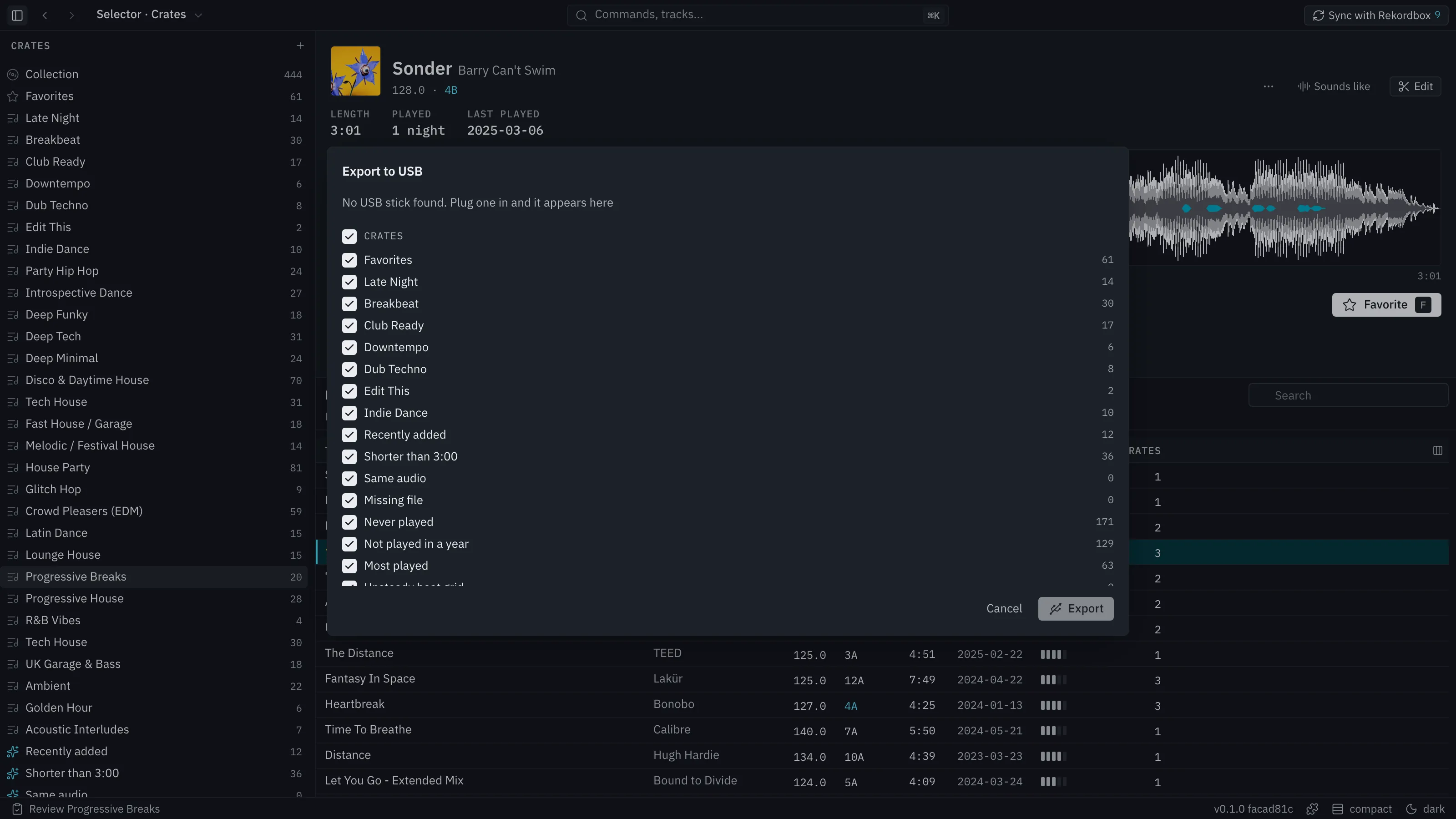
Export to USB (File menu, or ⌘K) writes your crates and sets to a stick that players read directly. It writes both of Rekordbox’s formats, so older and newer players can read the same stick.
Export
Section titled “Export”- Plug in the stick.
- Choose Export to USB. Every crate and set starts ticked. Untick what should stay home.
- Pick the stick from the list. Press Export. The button shimmers and a progress bar shows the stage.
- A toast counts what happened.
Crates keep their folders. Sets go in a folder called Sets, in set order. A set goes on as Rendered: tracks the set changes are rendered to audio and go on as tracks of their own.
Tracks with no file, or in a format players cannot play, are left off and listed.
Whose stick it is
Section titled “Whose stick it is”Selector Studio writes only to an empty stick or one it exported to before. A stick that holds a Rekordbox library is refused and never merged into.
The new library is written beside the old one and swapped in once it is complete. A failed export or a pulled stick leaves the stick as it was, or finishes the job the next time you export.
Read a stick
Section titled “Read a stick”A stick with a DJ library, Rekordbox’s or Selector Studio’s, shows at the bottom of the Crates tree with its folders and playlists. It is read only, and you can play its tracks from the Crates deck. See Add music.