Add-ons
Add-ons are optional downloads. Open the list from the puzzle button in the status bar, or from Settings. A feature that needs an add-on is not on screen until you install it, so you never see something that cannot work.
Each row shows Downloading, Analyzing N of M, Ready, or an error with how to recover. Analysis runs in the background, low priority, the open crate’s tracks first, and resumes if you quit. A feature uses a track as soon as it is analysed.
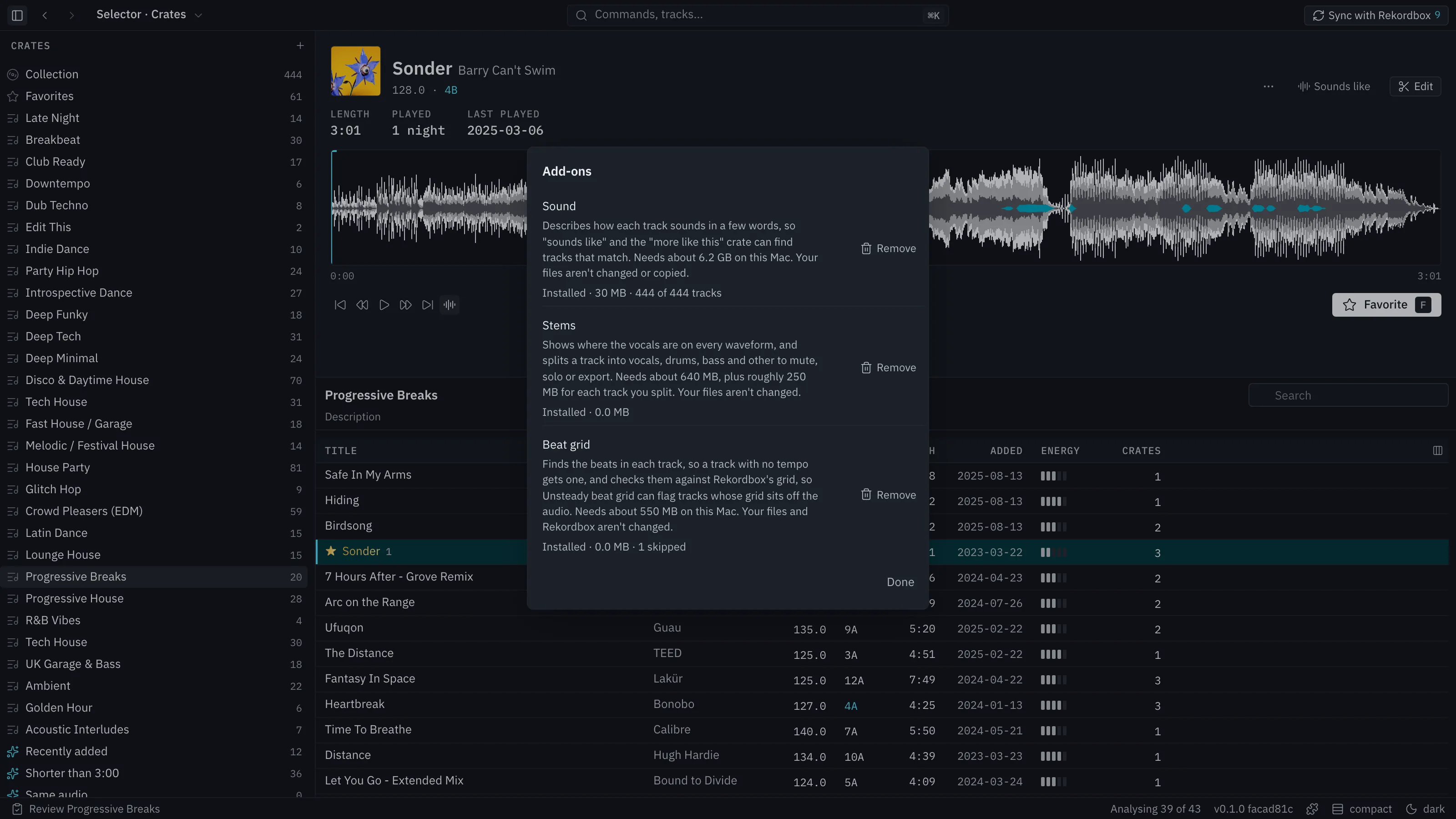
Describes how each track sounds. It unlocks Sounds like (the nearest tracks in your library to one you pick, or to the middle of a crate), the Sound column, and a short description of each track in words. The first install downloads about 6 GB of model files. Analysis takes roughly one or two seconds a track on a Mac with a GPU, and about ten times that on CPU alone.
Beat grid
Section titled “Beat grid”Works out a tempo and beat grid for tracks that have none. While it is not installed, a track with no tempo offers it in the Edit view and in Next. Turn that offer off in Settings (Offer Beat grid).
Separates a track into vocals, drums, bass and other. It unlocks:
- The vocals layer drawn on waveforms.
- Muting and soloing stems in the Edit view.
- Export stems as 24-bit WAV files: four stems, or six with guitar and piano.
The first install downloads roughly 640 MB.
Remove one
Section titled “Remove one”Remove an add-on from the same dialog. Features that need it go away; your library and edits stay.